
Access the New Content Experience in Brightspace
Turn on the New Content Experience
- From your Course Navbar, select Content.
Select the arrow in the upper right to expand the window. Select Turn it on. The content experience will also change for all learners within the course.
Image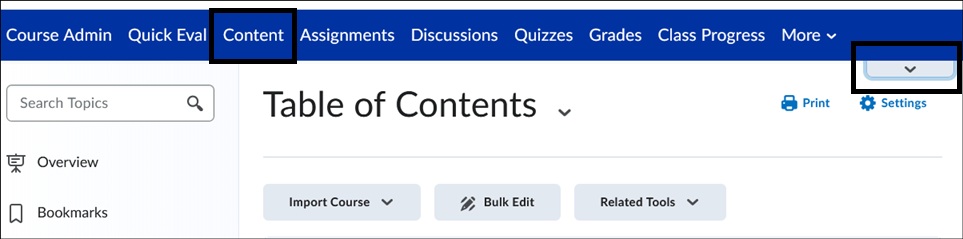 Image
Image
To return to the Classic Content view, select the arrow in the upper right again and select Turn it off. A pop-up window will display asking a reason for returning to the Classic Content view, providing feedback is not required. Select Done to switch back.
Image
Important Note:
At this time, switching between Classic and NCE is optional. NCE is planned to become the default view in upcoming semesters.
View help documentation to get started with NCE
View New Content Experience (Lessons) Overview video
For more information and assistance, please email Office of Digital Learning - Learning Management System Support at LMS.faculty@jjay.cuny.edu