

Attendance Schemes
Attendance Schemes
An Attendance scheme is the selection of statuses that can be used in an Attendance Register. For example, the default attendance scheme (System Scheme) has attendance statuses of present and absent. You can create custom attendance schemes that can be set in an attendance register with statues like present, absent, late, excused absence etc.
Access Attendance Schemes
In a course, select Course Admin on the Course Navbar.
Image
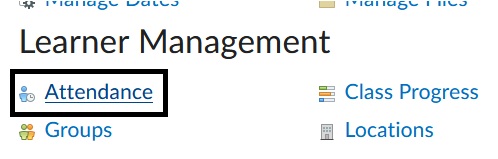
- Under Learner Management, select Attendance.
Image
- On the Attendance page, select Attendance Schemes at the top of the page.
Image

Create a New Attendance Scheme
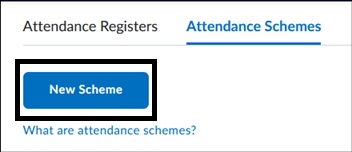
- On the Attendance Scheme page, Select New Scheme.
Image
- Enter a Name for the Scheme.
- Under Attendance Statuses, Enter the Symbol, Status Full Name and Assigned Percentage.
- To add Additional Statuses, enter a number in the box and enter Add Statuses. This may require you to save the scheme first if you haven't saved it previously.
Image
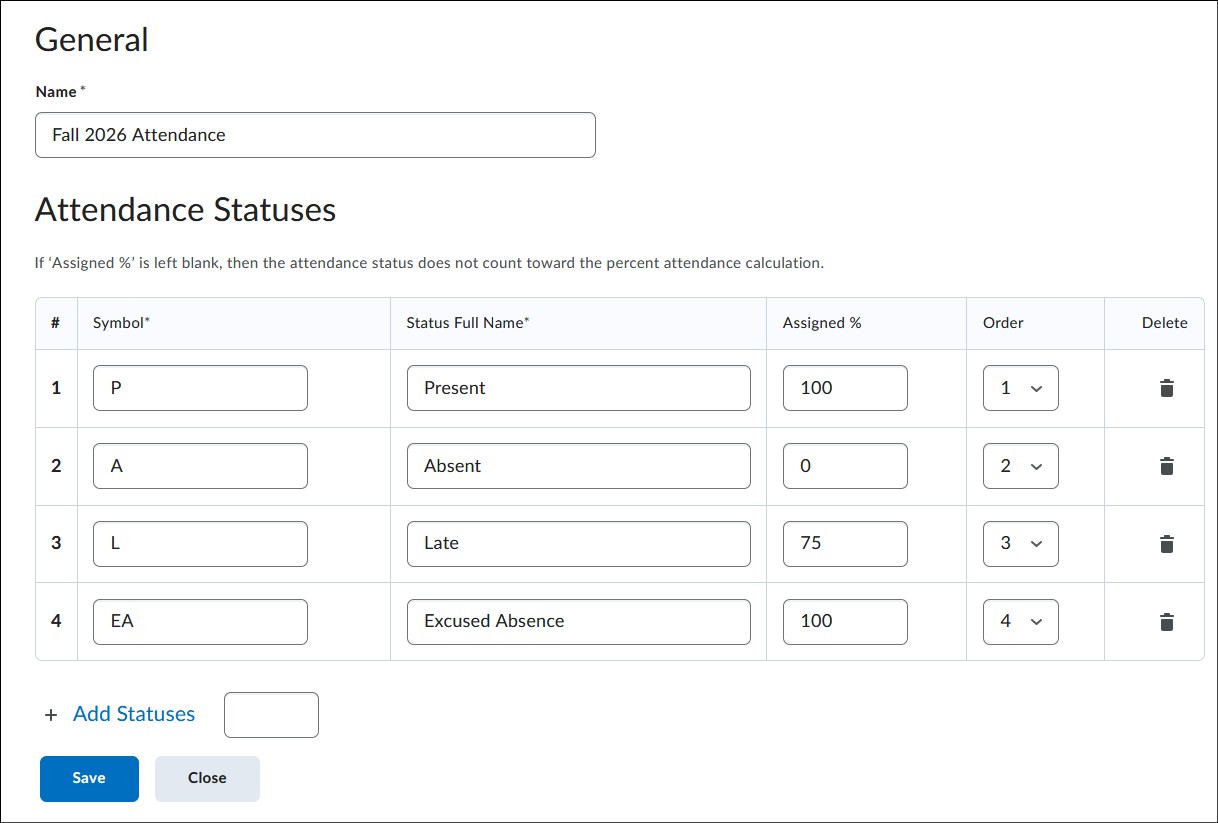
- Once complete, select Save to hold all changes. Select Close.
Set the New Attendance Scheme as Course Default
- If you want to apply the new scheme as default so that it will automatically appear when creating new registers, select Set next to the chosen scheme.
Image
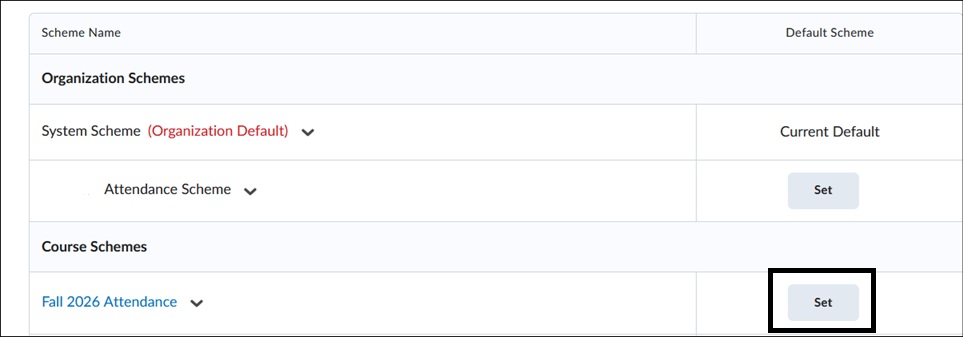
- Select Set to confirm the selection.
View About Attendance.
For more information and assistance, please email the Office of Digital Learning - Learning Management System Support at LMS.faculty@jjay.cuny.edu