
Forms & Policies
Plan Your Student Activity Fee Budget
Student Activity Fee funding is assigned to designated purposes called earmarks. These earmarks support student organizations, leadership, athletics, recreation, travel, commencement, publications, student support services, accessibility, child care, campus programming, and other student-focused activities.
View the current Student Activity Fee allocation (PDF).
A budget explains how a department, program, or student organization plans to use its Student Activity Fee allocation during the fiscal year, which runs from July 1 through June 30.
Budgets must be prepared by an authorized representative of the department, program, or student organization responsible for the funding.
Important: An approved budget does not authorize an individual purchase, contract, trip, catering order, equipment acquisition, or payment. Each expense must follow the applicable SAA Business Office process.
Follow the Correct Budget Route
Student Clubs and Organizations
Student clubs and organizations funded through the Club Earmark follow this route:
- The club or organization prepares its proposed budget.
- The Center for Student Involvement and Leadership reviews the required budget forms.
- The Committee on Clubs reviews the proposal.
- Student Council approves or denies the proposed allocation.
- Student Council submits the approved budgets, comprehensive allocation report, and signed meeting minutes for required SAA review and Business Office processing.
Student Council serves as the allocating body for Student Activity Fee funding provided to student clubs and organizations. This responsibility is separate from the review of Student Council’s own annual budget.
Direct SAA Budget Committee Review
The following submit their proposed budgets directly to the SAA Budget Committee:
- Campus Activity Board
- Graduate Students
- John Jay Radio
- Student Council
- The Sentinel
- Theatrical Players
- United Nations Student Association
- Yearbook, including the commencement-related activities assigned to the Yearbook budget
These budgets must follow the published SAA Budget Committee meeting dates and material-submission deadlines.
Departments, Programs, and Other Earmarked Entities
A department, program, or other entity responsible for an earmark must submit its proposed budget for SAA Budget Committee review when the budget includes one or more of the following:
- New personnel services
- A new Student Leadership Program
- An individual contractual agreement of $1,501 or more
- Equipment or asset-management expenses
The $1,501 amount determines the budget-review route. It does not replace the requirements described in the Contractual Services section.
A budget that does not include one of these expense types may be submitted directly to the SAA Business Office for processing.
Complete the Budget Package
Every initial budget submission must include all three forms:
- Download Budget Summary Form A (PDF)
- Download Budget Data Entry Form B (PDF)
- Download the Budget Description (PDF)
Supporting documentation is not required for the initial budget submission.
Before submitting your budget:
- Confirm that the total is the same across all three forms.
- Make sure the proposed expenses do not exceed the available allocation.
- Connect each planned expense to the purpose of the earmark.
- Use the appropriate budget categories.
- Clearly describe the planned programs, services, and purchases.
- Check all calculations.
- Complete every required field.
- Obtain all signatures that apply to the submitting organization or department.
Submit Your Budget
Student Clubs and Organizations
Follow the submission instructions and deadlines established by the Center for Student Involvement and Leadership, the Committee on Clubs, and Student Council.
Budgets Requiring SAA Budget Committee Review
Follow the published SAA Budget Committee meeting dates and material-submission deadlines.
View Fall 2026 SAA Budget Committee and Board meeting dates and submission deadlines (PDF).
Other Department, Program, and Earmarked-Entity Budgets
Email your completed budget package to the SAA Business Office.
Email: saaboforms@jjay.cuny.edu
Submitting a budget does not mean it has been approved or processed.
What Happens Next?
- The budget follows its designated review route.
- The responsible reviewing body may approve, deny, defer, or request revisions to the budget.
- Required approval records and meeting minutes are submitted with the budget.
- The SAA Business Office reviews the approved package for completeness and processing.
- The department, program, or organization generally receives an email notification within five to ten business days after the approval date.
- Individual expenses may then be submitted through the applicable Business Office process.
Learn how to purchase goods or services after budget approval.
Change an Approved Budget
Calculate the percentage of the proposed change using the entire approved budget amount, not only the affected budget category.
Changes of 10% or Less
Use the Budget Change Form for changes totaling 10% or less of the entire approved budget.
Organizations are permitted one budget change per fiscal year.
Download the Budget Change Form (PDF).
Who Must Sign the Budget Change Form?
The required signature depends on who is requesting the change:
- Student Council: a Student Council officer must sign.
- Student club or organization: the club president or treasurer must sign.
- Department, program, or other earmarked entity: the department designee must sign.
Only the signature that applies to the requesting area is required. Supporting documentation is not required.
Email the signed Budget Change Form to the SAA Business Office.
Email: saaboforms@jjay.cuny.edu
The budget change takes effect once the SAA Business Office approves and processes it.
Changes of More Than 10%
Do not use the Budget Change Form.
A change of more than 10% requires the submission of a new budget to the SAA Board of Directors. The new budget package must include:
- Budget Summary Form A
- Budget Data Entry Form B
- Budget Description
Follow the published SAA Board meeting dates and material-submission deadlines.
The new budget takes effect after SAA Board approval and Business Office processing.
Important: Approval of a Budget Change Form or new budget does not authorize an individual expense. Purchases, contracts, travel, catering, equipment, and payments must follow their applicable Business Office processes.
Budget Resources
- View the current Student Activity Fee allocation (PDF)
- Read the SAA budget approval policy (PDF)
- Read the SAA Budget Processing Procedure (PDF)
- Download Budget Summary Form A (PDF)
- Download Budget Data Entry Form B (PDF)
- Download the Budget Description (PDF)
- Download the Budget Change Form (PDF)
- View Fall 2026 SAA Budget Committee and Board meeting dates and submission deadlines (PDF)
- Contact the SAA Business Office for budget assistance
Email for budget assistance: saabo@jjay.cuny.edu
Start Early
Requests involving a new or unregistered vendor must be submitted at least 30 business days before the goods or services are needed.
Vendor registration is not guaranteed within 30 business days. The timeline depends on how quickly the vendor completes the registration process, whether the vendor’s submission is complete, and the CUNY Vendor Management Unit’s review.
Before selecting a new vendor, confirm that the vendor:
- Accepts payment through a purchase order
- Does not require advance payment
- Does not require credit-card payment
- Has an active email address and telephone number
- Is willing to complete the CUNYBuy registration process
Search for the Vendor in CUNYBuy
Use the How to Search for Suppliers/Vendors in CUNYBuy (PDF) to determine whether the vendor is already registered.
The SAA Business Office can work only with vendors whose CUNYBuy Supplier Class includes Non-Tax Levy (NTL). Finding a vendor in CUNYBuy does not confirm that the vendor is available for SAA purchases. Confirm that NTL appears in the vendor’s Supplier Class.
Request a New Vendor
If the vendor does not have an NTL Supplier ID, complete the New Vendor Request Form.
Be prepared to provide:
- The vendor’s legal business name
- An active vendor email address
- An active vendor telephone number
- A brief description of the goods or services the vendor will provide
What Happens Next
The SAA Business Office will review the request, search the CUNYBuy supplier directory, and determine whether a new registration or an update to an existing supplier record is needed.
If registration is required, the CUNY Vendor Management Unit (VMU) will email the vendor a link to complete the process through the CUNYBuy portal. The vendor is responsible for completing the registration.
Departments and organizations should:
- Tell the vendor to expect an email from VMU.
- Encourage the vendor to complete registration within one week of receiving the link.
- Ask the vendor to check its spam or junk folder.
- Follow up directly with the vendor if registration is not completed promptly.
- Notify the SAA Business Office if the vendor’s contact information changes.
After the vendor submits all required information, VMU review generally takes 48–72 hours. Incomplete or inaccurate submissions may take longer.
Submitting the New Vendor Request Form does not mean that the vendor is registered, approved, or authorized to begin work.
Do not place or confirm an order, sign an agreement, accept vendor terms, authorize services, or make any commitment to the vendor until the SAA Business Office provides written approval.
Branded and Imprinted Items
If you plan to purchase clothing, giveaways, promotional products, or other items displaying a John Jay name, logo, trademark, or College artwork, notify the SAA Business Office at the beginning of the purchasing process.
The selected vendor must have the appropriate authorization through the Collegiate Licensing Company (CLC) before producing the items. The proposed artwork or product mock-up must also be submitted for review.
CLC authorization and CUNYBuy registration are separate requirements. A vendor appearing on the CLC vendor list is not necessarily registered as an NTL supplier in CUNYBuy.
If the selected vendor does not meet both requirements, additional processing time will be needed.
Additional Vendor Requirements
Depending on the purchase, the vendor may also need to provide insurance, permits, licenses, contracts, certifications, or other supporting documentation.
CUNYBuy registration does not replace the separate approval requirements for catering, contracts, equipment, travel, branded merchandise, or other specialized purchases.
Purchasing Goods and Services
The Student Activities Association, Inc. Business Office coordinates the purchase of goods and services funded through the Student Activity Fee.
All purchases must be reviewed and approved before an order is placed, services begin, or a commitment is made to a vendor.
Plan Ahead: Minimum Submission Times
If your request falls into one of the specialized categories below, follow that category’s timeline instead of the general purchasing timeline.
- General purchase request: Submit at least 30 business days before the goods or services are needed.
- Contractual services under $20,000: Submit at least 25 business days before the service date.
- Contractual services of $20,000 or more: Submit at least 35 business days before the service date.
- Pro bono speaker agreement: Submit at least 15 business days before the event.
- Domestic travel involving an SAA-funded purchase or payment: Submit the complete travel request at least 45 business days before the activity.
- Unpaid domestic travel: When the activity does not require an SAA-funded purchase or payment, submit the Online Student Liability Waiver request and all required unpaid-travel documents at least 10 business days before the activity.
- Catering with an approved vendor: Submit at least 5 business days before the event.
- Catering involving a new or unregistered vendor: Begin the process at least 30 business days before the event.
- General new-vendor request: Submit at least 30 business days before the vendor is needed.
- Equipment purchase: Submit at least 30 business days before the equipment is needed. Additional review time may be required.
Business days do not include weekends, College holidays, or other days when the College is closed.
These are minimum submission requirements and do not guarantee approval by the requested date. Initial review begins after the SAA Business Office receives the required forms, signatures, pricing information, and supporting documents. Late or incomplete submissions may be delayed or may not be approved in time.
Before You Submit a Purchase Request
Before requesting a purchase:
- Confirm that sufficient funds are available in the appropriate budget.
- Identify the goods or services needed.
- Identify the preferred vendor and use How to Search for Suppliers/Vendors in CUNYBuy (PDF) to determine whether the vendor is registered in CUNYBuy. If the vendor cannot be located, follow the instructions in the New Vendor Request section.
- Collect current pricing information and the required supporting documents.
- Submit the completed request packet to the SAA Business Office for review.
Do not:
- Place or confirm an order.
- Sign a quote, invoice, agreement, contract, or other vendor document.
- Authorize a vendor to begin work.
- Advertise a vendor as confirmed.
- Make a verbal or written commitment to a vendor.
Purchases or vendor commitments made without prior approval may be considered unauthorized and may not be paid by the Student Activities Association.
Requirements for Purchases of $250 or More
For purchases of $250 or more:
- Complete the Oral Bid Form (PDF).
- Provide current pricing information from three comparable vendors, unless an approved purchasing exception applies.
- Make sure the pricing information covers the same or comparable items, quantities, sizes, and specifications.
- Identify the lowest-priced vendor that meets the purchase requirements.
- If that vendor is not selected, provide a written explanation supporting the selection.
Pricing information should be as current as possible when the request is submitted. Current website prices, screenshots, shopping carts, or written pricing sent by a vendor through email may be used to compare vendors and support the initial review.
Screenshots of text messages, direct messages, social media posts, or other informal communications are not acceptable.
After reviewing the request, the Purchasing Coordinator will work with the selected vendor to obtain the official quote required to process the purchase.
Not every purchase requires pricing information from three vendors. Requirements may vary for contractual services, travel, and other specialized purchases. The SAA Business Office will determine whether an exception or another purchasing method applies.
Tips for Branded and Imprinted Items
To avoid delays:
- Use official John Jay College logo files and approved colors. Do not alter, redraw, distort, or recolor a College logo.
- Attach the proposed artwork or design to the purchase request.
- Make sure the items, colors, sizes, quantities, and imprint details match the pricing information, artwork, and vendor mockup.
- Make sure setup, imprinting, and other applicable costs are included in the pricing information.
- Attach a vendor mockup when available.
Review the John Jay Self-Service Marketing Resources or contact marketing@jjay.cuny.edu for official logo files and branding guidance.
Artwork is subject to approval by the Office of Marketing & Communications. Some vendors may also require authorization to produce College-branded items. The SAA Business Office will confirm whether additional licensing requirements apply.
Prepare and Submit Your Request
Submit the documents that apply to your purchase:
- Check Request Form (PDF)
- Oral Bid Form (PDF), when required
- Current pricing information from three comparable vendors, when required
- Written vendor-selection explanation, when required
- Proposed artwork for every branded or imprinted item
- Vendor mockup, when available
- Event flyer, if applicable
- Additional documents required for the type of purchase
Submit completed forms and supporting documents in PDF format to saaboforms@jjay.cuny.edu.
The SAA Business Office may request corrections or additional documentation after reviewing the submission.
Tips to Avoid Delays
Before submitting your request:
- Make sure the Check Request Form is complete and contains all required signatures.
- Provide a clear description and purpose for the purchase.
- Provide pricing information that is as current as possible.
- Confirm that the vendor name, item descriptions, quantities, sizes, colors, specifications, and prices match across all forms and supporting documents.
- Include every required pricing document, flyer, memorandum, artwork file, and vendor mockup.
- Do not submit placeholder information or incomplete paperwork.
- Review the entire packet before emailing it to the SAA Business Office.
Missing signatures, documents that do not match, incomplete artwork, outdated pricing, and omitted supporting materials may cause the request to be returned for correction.
What Happens Next
After the SAA Business Office receives a complete submission:
- The request and supporting documents are reviewed.
- The Purchasing Coordinator works with the selected vendor to obtain an official quote and shares it with the requester.
- The appropriate CUNYBuy requester or department designee receives instructions for entering the requisition.
- The requisition follows the required budget-check and approval process.
- John Jay College Procurement completes the applicable procurement review.
- A purchase order is issued to the vendor when required.
- The requester is notified when the purchase has been authorized.
A submitted requisition is not a purchase order and does not authorize a vendor to begin work.
Once a purchase request has been approved and the SAA Business Office has shared the official quote with the requester, the SAA Business Office serves as the vendor’s point of contact until the order is completed. Requesters should not contact the vendor directly, request changes, approve revisions, or provide additional instructions. Questions or requested changes must be directed to the SAA Business Office.
After Goods or Services Are Received
After the goods are delivered or the services are completed:
- Inspect the goods or confirm that the services were completed as requested.
- Report any missing, damaged, defective, or incorrect items.
- Complete the required inspection and receipt steps in CUNYBuy.
- Forward any invoice received directly from the vendor to the SAA Business Office.
Account Codes and Supplier Resources
Use the SAA Account Codes (PDF) to determine how goods and services are categorized.
Use the CUNYBuy Non-Tax Levy Supplier List to access supplier information. This resource opens in a new window.
The supplier list does not display individual vendor names. To locate a specific supplier, use How to Search for Suppliers/Vendors in CUNYBuy (PDF).
If the selected supplier is not registered in CUNYBuy, follow the instructions in the New Vendor Request section before proceeding.
A contract is a written agreement between parties for goods, services, or another form of exchange that is intended to be legally enforceable. Contractual services may include speakers, DJs, photographers, videographers, performers, instructors, and other professional service providers.
Review the steps and requirements below before beginning a contract request. Contact the SAA Business Office if you have questions about whether a service requires a contract.
Important: Do Not Sign Anything
Do not sign a quote, invoice, agreement, letter of intent, memorandum of understanding, scope of work, vendor terms and conditions, or any other document on behalf of the Student Activities Association.
A written document may create a contract or financial commitment. The SAA Business Office will coordinate the required review and authorized signatures.
Start Early
Submit all required documentation:
- At least 25 business days before the planned date of service for requests under $20,000.
- At least 35 business days before the planned date of service for requests of $20,000 or more.
Processing begins after the SAA Business Office receives a complete submission. An incomplete submission may delay the request and does not guarantee approval by the planned service date.
Before beginning a request, confirm that funding is available in the organization’s or department’s approved budget.
Confirm the Contractor’s Vendor Status
A contractor receiving payment must be registered in CUNYBuy and have a CUNY Supplier ID.
If the contractor is not registered, follow the New Vendor Request process. Vendor registration must be completed before the requisition and contract approval process can be finalized.
Active CUNY employees cannot be contracted as independent vendors. Contact the SAA Business Office at saabo@jjay.cuny.edu for guidance on the appropriate process.
Prepare the Required Documents
Submit the following:
- Check Request Form
- Contract Request Form
- Quote obtained from the contractor
- Contractor biography or promotional materials
- Draft event flyer
- Oral Bid Form, when required
- Additional documentation requested by the SAA Business Office based on the service or event
The SAA Business Office will obtain an invoice from the contractor when needed.
When an Oral Bid Form Is Required
An Oral Bid Form is required when any of the following services cost more than $250:
- DJs
- Photographers
- Videographers
- Photo booths
Submit the Request
A CSIL coordinator or department designee must submit the complete documentation package in PDF format to saaboforms@jjay.cuny.edu.
Contact the SAA Business Office to schedule a planning meeting if an event will involve more than three contracted services.
Submitting documents does not mean that the service or event has been approved. A draft flyer may be included with the request, but do not publish or distribute it, authorize the contractor to begin work, or make any financial commitment until all required approvals are complete and the SAA Business Office confirms that the service may proceed.
Pro Bono Speakers and Lecturers
Departments and student organizations may invite individuals to provide services at no cost, most commonly as guest speakers or lecturers. A Pro Bono Speaker Agreement Form is required to document the arrangement.
Contact the SAA Business Office early to obtain instructions for beginning the pro bono speaker process. A complete pro bono request must be submitted with all required information at least 15 business days before the planned event.
The review process requires at least 15 business days after the SAA Business Office receives a complete request. Additional time may be needed if information or documentation is missing. An initial email, telephone call, or incomplete submission does not begin the processing period.
Even when no payment is involved, do not sign an agreement or permit the speaker to provide services until the required documentation is complete and approval has been confirmed.
Insurance Requirements
Depending on the type of service, event activities, location, and level of risk, the contractor or sponsoring organization may be required to provide proof of insurance or complete additional event documentation.
Insurance requirements are determined during the contract and event review process. Do not purchase insurance or contact an insurance provider before receiving instructions from the SAA Business Office.
The SAA Business Office will notify the requesting organization or department if insurance, additional coverage, or other risk-management documentation is required.
What Happens Next
The SAA Business Office will review the submitted documents and coordinate the contract, vendor, insurance, requisition, and approval requirements.
A requisition must be entered and approved in CUNYBuy before a purchase order can be issued. The contractor may provide services only after all required approvals are completed and the SAA Business Office confirms that the service may proceed.
Domestic student travel includes a college-sponsored or college-funded activity that takes place away from CUNY property but remains within the 50 United States. Examples include museum visits, field trips, athletic events, service activities, leadership retreats, conferences, seminars, and workshops.
Travel to Puerto Rico, the U.S. Virgin Islands, Guam, and other U.S. territories is considered international travel under CUNY policy and does not follow this domestic travel process.
Before You Begin
Every group trip must have a Trip Sponsor. The Trip Sponsor must be a faculty or staff member responsible for planning the trip, collecting participant information, communicating with students, and coordinating the required approval and safety steps.
Do not reserve transportation or lodging, sign an agreement, promise payment, or otherwise commit funds before the trip and any related arrangements receive the required approvals.
Step 1: Choose the Correct Travel Process
Travel Requiring Funding or Payment
Submit the complete request at least 45 business days before the planned travel date.
Download and complete the Travel Packet (PDF).
The packet includes:
- Check Request Form
- CUNY Off-Campus Domestic Student Travel Approval Form
- Event Request Form for Online Student Liability Waiver
- Oral Bid Form
The submission must also include:
- Vendor quote or invoice showing the anticipated travel cost
- Event flyer
- Schedule or itinerary when required
- Student identification documents
- Student travel list when required
The Oral Bid Form (PDF) is required when renting a bus or van costing more than $250.
Travel Requiring Approval Only
A trip that does not require SAA funding still requires advance travel approval. Submit the request at least 15 business days before the planned travel date.
The request must include:
- CUNY Off-Campus Domestic Student Travel Approval Form (PDF)
- Event Request Form for Online Student Liability Waiver (PDF)
- Event flyer
A Check Request Form, vendor quote or invoice, and Oral Bid Form are not required when no funding or payment is requested.
Step 2: Add the Documents Required for Your Trip
Same-Day Travel
A schedule or itinerary is required for a same-day conference, seminar, or workshop.
Overnight Travel
An overnight-travel request must include:
- Complete schedule or itinerary
- Student travel list containing each student’s first and last name, email address, and date of birth
Before departure, participating students must complete the Sexual and Interpersonal Violence Prevention and Response Course (SPARC) and any separately required alcohol-awareness training.
Student Identification
- For travel within New York State, include a copy of each participating student’s valid John Jay ID.
- For travel outside New York State, include a copy of each participating student’s valid state-issued ID.
Step 3: Identify the Chaperone
A chaperone is required when five or more students will participate. The Trip Sponsor or approving college official may also require a chaperone for a smaller group based on the trip’s destination, activities, transportation, lodging, duration, or participant needs.
Under CUNY policy, a chaperone may be a CUNY faculty or staff member or another individual specifically approved by the college. An approved chaperone affiliated with an external organization must follow CUNY’s chaperone and reporting requirements.
John Jay College does not permit a student, including a student applying for or receiving travel funding, to serve as a chaperone.
Include the proposed chaperone’s name and current telephone number on the CUNY Off-Campus Domestic Student Travel Approval Form. The chaperone must be approved as part of the travel request.
For larger groups, CUNY recommends at least one chaperone for every 20 students.
If the Trip Sponsor will also serve as the chaperone, identify an alternate campus contact who will remain available throughout the trip.
Step 4: Identify Special Travel Arrangements
Activities Presenting Additional Risk
Describe all planned activities on the Travel Approval Form. Clearly identify any activity that may present greater-than-usual health or safety risks, including extreme sports, isolated locations, environmental hazards, large crowds, or limited access to medical assistance.
University, Rental, or Personal Vehicles
Additional approval is required when a trip will use a University vehicle, rental vehicle, or personal vehicle.
Before submitting the request:
- Identify the proposed vehicle and driver on the Travel Approval Form.
- Confirm that the driver meets the CUNY Vehicle Use Policy (PDF).
- Obtain approval before reserving a rental vehicle.
Only an eligible CUNY or CUNY-related-entity employee may drive a University or rental vehicle. Students may not drive a University or rental vehicle.
Trip Sponsors and chaperones may not transport students in personal vehicles unless commercial transportation cannot be arranged, a University vehicle is unavailable, or an emergency occurs.
Contact the SAA Business Office before submitting a request involving a University, rental, or personal vehicle. Additional review by the appropriate college office may be required.
Step 5: Submit the Request
A CSIL coordinator or department designee must submit the complete request in PDF format to saaboforms@jjay.cuny.edu by the applicable deadline.
Submitting a request does not authorize the trip. The trip may proceed only after all required approvals have been obtained.
After the Trip Is Approved
The Trip Sponsor must ensure that:
- Every participating student completes the online liability waiver before departure.
- A parent or legal guardian completes the required notarized documentation for any participant under 18.
- Students complete SPARC and any separately required training.
- Participants receive the itinerary, transportation and lodging details, behavioral expectations, and emergency contact information.
- The chaperone has participant contact and emergency information and remains available throughout the trip.
A student who does not complete the required waiver, training, or other pre-departure requirements cannot participate.
Conduct During the Trip
Students represent John Jay College and CUNY during college-sponsored or college-funded travel. Participants must follow applicable laws, CUNY and John Jay policies, the approved itinerary, and reasonable instructions from the Trip Sponsor or chaperone.
Misconduct may result in removal from the trip, referral through the student conduct process, loss of travel funding, or repayment of travel expenses paid by the Student Activities Association.
Chaperones are responsible for monitoring student conduct, overseeing participant safety, remaining available throughout the trip, and reporting emergencies or serious incidents through the appropriate CUNY and John Jay channels.
Student Leadership Programs
Student Leadership Programs provide opportunities for students to serve the College community, support other students, develop leadership skills, and hold elected Student Government positions.
Program administrators and department designees are responsible for establishing the program, confirming funding, and coordinating student eligibility and payment with the SAA Business Office.
Identify the Program Type
Student Government Leaders
Students hold college-wide elected positions and assume the responsibilities associated with those positions. This category includes Student Government executives and representatives.
Service Programs
Students perform defined responsibilities that provide a direct or indirect service to the College community.
Mentorship Programs
Students provide structured guidance and support intended to enhance other students’ academic, professional, or personal development.
Leadership Training Programs
Students participate in workshops and structured activities designed to strengthen their leadership knowledge and skills.
Before Paid Participation Begins
The program administrator or department designee must:
- Confirm that the program and its total student payment costs are included in an approved annual budget.
- Prepare a program memorandum describing the program’s purpose, application or selection process, student responsibilities, payment amount, and payment schedule.
- Identify the students selected to participate.
- Have each selected student complete the Screening Questionnaire of Payment Authorization.
- Submit the program memorandum and completed screening questionnaires to the SAA Business Office for review.
Submit the required documents at least two weeks before each student’s anticipated start date.
Students may not begin paid participation until the SAA Business Office confirms their eligibility.
Student Government Requirements
Student Government leader payments must be included in the approved annual Student Government budget.
The Student Government designee must submit a memorandum containing:
- each leader’s name;
- elected position;
- term of service;
- payment rate; and
- payment frequency.
The Student Government designee is responsible for coordinating and submitting the required payment documents. Documents for Student Government executives are submitted monthly, while documents for Student Government representatives are submitted at the end of each semester. The SAA Business Office will confirm the applicable submission dates and requirements.
Payment Eligibility
Participation in a Student Leadership Program does not automatically establish eligibility for payment.
International students and students who hold another position or participate in another paid program within CUNY may be subject to additional eligibility requirements or limits. Students must disclose current CUNY employment and participation in other paid CUNY programs on the screening questionnaire.
Unpaid participation may be permitted only after review by the SAA Business Office. A student who is not eligible for payment must not be promised or led to expect payment.
Student Leadership Program payments may be reportable as income. Students should consult a qualified tax professional regarding their individual circumstances.
Required Eligibility Form
Screening Questionnaire of Payment Authorization
Each selected student must complete this form. The student should give the completed form to the program administrator or department designee, who is responsible for submitting it to the SAA Business Office.
Payment Forms
The SAA Business Office will advise the program administrator or department designee which payment forms and supporting documents are required.
- Check Request Form
Used by the program administrator or department designee when required to request payment. - Semester Timesheet
Used to record participation or service across an academic semester. - Timesheet
Used to record participation or service for a shorter payment period.
Additional documentation may be required based on the student’s eligibility, program structure, or payment arrangement.
Submit Payment Documents
The program administrator or department designee—not the participating student—is responsible for assembling and submitting the payment package.
Before submitting the package, confirm that:
- the correct forms have been used;
- the reported participation or service is accurate;
- the student and supervisor have signed the applicable timesheet;
- all required approvals have been obtained; and
- all supporting documents are included.
Submit the complete payment package in PDF format to saaboforms@jjay.cuny.edu.
Incomplete, unsigned, or inconsistent submissions will delay payment. Payment review begins after the SAA Business Office receives a complete and accurate package with all required approvals.
For questions about eligibility, program requirements, or required forms, contact the SAA Business Office at saabo@jjay.cuny.edu.
Equipment
Equipment purchased with Student Activity Fee funds is the property of the John Jay College Student Activities Association, Inc. Equipment includes technology, electronic devices, furniture, musical equipment, cameras, computers, tablets, storage devices, and other durable items.
Plan Your Equipment Purchase
Begin the equipment purchasing process at least 30 business days before the items are needed. Technology purchases may require additional time for accessibility, information-security, compatibility, or other institutional reviews.
Before submitting a request:
- Confirm that funding is available in the approved budget.
- Identify the equipment, quantity, intended use, and preferred vendor.
- Obtain current pricing directly from the vendor.
- Determine where the equipment will be stored and who will be responsible for it.
- Allow additional processing time if a new vendor must be registered in CUNYBuy.
Do not purchase equipment, place an order, sign a vendor agreement, or promise payment before the purchase is approved and an official purchase order is issued.
Documents Required for Submission
- Check Request Form
Submit one Check Request Form for each vendor. Completing this form does not authorize the requester to purchase the equipment. - Memorandum
Explain what equipment is being requested, why it is needed, how it will support the organization or program, where it will be used and stored, and who will be responsible for it. - Vendor Quote(s)
Pricing documentation must be an official vendor quote or a written quote provided by the vendor through email. Website prices, screenshots, shopping carts, text messages, direct messages, and social media posts do not replace an official quote or written email quote. - Oral Bid Form
Required for equipment purchases over $250. Include the pricing documentation for every vendor listed on the form. - Information Security Review Questionnaire—Version 1.5R (Word)
This questionnaire is not required for every equipment purchase. It may be required when a technology purchase involves an application, information system, ongoing vendor IT service, data storage, user accounts, integration with a CUNY system, or non-public University information.
If the technology will collect, store, transmit, or provide access to personally identifiable information, educational records, financial information, or other confidential data, clearly identify that information on the questionnaire.
The SAA Business Office will coordinate with the appropriate college office to determine whether the questionnaire or another technology review document is required. Additional documentation may be requested based on the equipment, cost, intended use, funding source, or applicable CUNY and John Jay requirements.
If the direct questionnaire link is unavailable, download the current version from the CUNY Security Policies and Procedures page.
Submit the Request
The organization or department designee must email the complete equipment request package to saaboforms@jjay.cuny.edu at least 30 business days before the equipment is needed.
Complete all fillable forms before converting them to PDF. Submit the completed forms and supporting documents as PDF files.
The SAA Business Office will review the request for:
- completeness;
- budget availability;
- purchasing and competitive-pricing requirements;
- vendor registration;
- technology and information-security requirements; and
- any additional institutional approvals.
Submitting a request does not constitute approval. The requester must wait for confirmation from the SAA Business Office before proceeding with the purchase.
After the Equipment Is Delivered
After delivery:
- The equipment must be inspected.
- Receipt of the equipment must be documented as directed by the SAA Business Office.
- The equipment must be tagged and recorded in the SAA property-management records.
- The designated user may be required to sign an Equipment Agreement before receiving or using the equipment.
- Portable equipment must be returned or presented for inspection when requested by the SAA Business Office.
Equipment may not be transferred, discarded, donated, sold, given away, or otherwise removed from service without written authorization from the SAA Business Office.
Report Lost, Missing, Stolen, Damaged, or Destroyed Equipment
Complete the Equipment Report Form and email it in PDF format to saaboforms@jjay.cuny.edu within 48 hours of the incident or its discovery.
- Lost, missing, or stolen equipment: Notify the Department of Public Safety and the SAA Business Office immediately. Submit the completed Equipment Report Form and a copy of the Public Safety incident report.
- Damaged or destroyed equipment: Notify the SAA Business Office within 48 hours. Submit the completed Equipment Report Form and clear photographs showing the condition of the equipment.
The SAA Business Office will review the incident and provide instructions concerning inspection, return, removal, replacement, or other required action. Responsibility may be determined based on the circumstances, the signed Equipment Agreement, and applicable requirements.
Food and Catering Requests
All catering requests must be approved by the Student Activities Association Business Office before an order is placed or confirmed with a vendor.
How to Request Catering
1. Select a Vendor
Select a vendor from the Catering Vendors Available for Use section below.
2. Obtain Current Information
Contact the vendor to confirm:
- Current menu and pricing
- Availability
- Delivery or pickup arrangements
- Delivery charges and other fees
- Minimum-order requirements
- Estimated order total
- Ability to accommodate dietary restrictions and food-allergy concerns
You may obtain a quote or preliminary invoice, but do not place, confirm, or sign for the order.
3. Submit the Catering Request Form
Complete the Catering Request Form (PDF) and email it to saaboforms@jjay.cuny.edu at least 5 business days before the planned event date.
Submitting the form does not constitute approval. Late or incomplete requests may not be approved in time for the event.
4. Wait for Written Approval
Do not place or confirm the order until written approval is received from the SAA Business Office.
Approval is limited to the vendor, event, menu, and maximum amount identified in the approved request.
5. Place the Approved Order
After written approval is received, the requester or appropriate representative of the requesting department or organization may provide the approved Catering Request Form to the vendor and place the order within the approved amount.
The person placing the order must follow the instructions included with the SAA Business Office’s approval.
Contact the SAA Business Office before accepting a material change, including:
- Changing the vendor
- Increasing the approved amount
- Changing the event date
- Substantially changing the approved menu or order
6. Submit the Post-Event Payment Package
After the approved catering services have been provided, the department designee or authorized budget signatory must enter the CUNYBuy requisition and submit the required payment package.
See CUNYBuy Requisition and Payment below.
Catering Vendors Available for Use
The vendors below are registered in CUNYBuy and may be used for approved catering requests.
Use the legal supplier name and Supplier ID shown below when completing the Catering Request Form and entering the CUNYBuy requisition.
Menus are provided as planning resources. Prices, delivery charges, minimum orders, and menu options may change. Contact the vendor to obtain an official vendor quote, preliminary invoice, or written email quote before submitting a request.
Morton Williams
Morton Williams operates under two CUNYBuy supplier records. Select the supplier associated with the location preparing the order. The SAA Business Office can assist if the applicable supplier record is unclear.
917 Ninth Avenue Location
Bronze and White Inc. (DBA Morton Williams)
- Supplier ID: 0000021516
- Store address: 917 Ninth Avenue, New York, NY 10019
- Catering contact: 212-586-7750
- Catering email: mikedondiego@gmail.com
- Alternate email: michaeld@mortonwilliams.com
15 West End Avenue Location
Ivory & White Markets Inc. (DBA Morton Williams)
- Supplier ID: 0000031480
- Store address: 15 West End Avenue, New York, NY 10023
- Catering contact: 917-388-3310
- Primary email: edward_ER@hotmail.com
- Store email: ivory@mortonwilliams.com
Available menu: Morton Williams Catering Menu
View the Morton Williams online catering menu
Contact the applicable location to confirm current pricing and availability.
MBJ Food Services
MBJ Cafeteria Corp. (DBA MBJ Food Services)
- Supplier ID: 0000002574
- Telephone: 212-582-1629
- General email: info@mbjfoodservices.com
- Catering email: catering@mbjfoodservices.com
Available menus:
- MBJ CUNY Student Menu — 2026–2027
- MBJ Full Catering Menu — 2026–2027
Healthy Sugar NYC
9090 Inc. (DBA Healthy Sugar NYC)
- Supplier ID: 0000035529
- Telephone: 347-957-8997
- Email: coatwalazamaan30@gmail.com
Available menu: Healthy Sugar NYC Catering Menu
Her Boba
Infinite Luxury Cosmetic LLC (DBA Her Boba)
- Supplier ID: 0000033840
- Catering telephone: 646-998-4431
- Email: infoherboba@gmail.com
The online menu is hosted through the Dream Talk storefront and includes a dedicated HerBoba menu category. Use the catering contact listed above to confirm current options, pricing, and ordering instructions.
Cinco de Mayo
Fast Food 55 LLC (DBA Cinco de Mayo)
- Supplier ID: 0000035665
- Telephone: 347-882-2931
- Email: mv.gonzalezg@gmail.com
View the Cinco de Mayo online menu
Use Fast Food 55 LLC as the legal supplier name on the Catering Request Form and in CUNYBuy. Contact the vendor to confirm its catering options and obtain current pricing.
Mariam’s Kitchen
Mariams Kitchen LLC (DBA Mariam’s Kitchen)
- Supplier ID: 0000032242
- Telephone: 475-289-6039
- Email: eat@mariamskitchen.nyc
Available menu: Mariam’s Kitchen Catering Menu
Contact Mariam’s Kitchen to confirm its current advance-notice and minimum-order requirements.
Pizza Shack
Pizza Shack NY Inc. (DBA Pizza Shack)
- Supplier ID: 0000038180
- Email: pizzashack57@gmail.com
Contact Pizza Shack to obtain its current catering menu, pricing, availability, and delivery charges before submitting a Catering Request Form. John Jay catering orders receive a 10% discount. Include the “CUNY Student Organization Discount - 10%” on the Catering Request Form when calculating the estimated order total.
Justino’s Pizzeria
Upper West Side Pizza Inc. (DBA Justino’s Pizzeria)
- Supplier ID: 0000023390
- Email: justinoa@gmail.com
Available menu: Justino’s Pizzeria Catering Menu
John Jay catering orders receive a 10% discount. Include the discount on the Catering Request Form when calculating the estimated order total.
Need to Register a New Vendor?
If a vendor is not registered in CUNYBuy and does not have a Supplier ID, submit the New Vendor Request Form at least 30 business days before the planned event date.
Provide:
- Vendor’s legal business name
- Active vendor email address
- Active vendor telephone number
- Description of the catering services
The CUNY Vendor Management Unit will contact the vendor with registration instructions. Vendor registration and catering approval must be completed before an order is placed.
Submitting the form does not guarantee that registration or catering approval will be completed by the planned event date.
CUNYBuy Requisition and Payment
For SAA catering, the CUNYBuy requisition is entered after the approved catering services have been provided.
The department designee or authorized budget signatory must enter the requisition using the vendor’s legal supplier name and Supplier ID.
Arrange the payment package in this order:
- Check Request Form (PDF)
- Final itemized vendor invoice
- Approved Catering Request Form
- Event Attendance Form (PDF)
- Event flyer or, if a flyer is unavailable, a memorandum explaining the event’s purpose
The Check Request Form must be the first document in the payment package, followed immediately by the final itemized vendor invoice. When combining the documents into one electronic file, preserve this order.
Complete a separate Check Request Form and payment package for each vendor. The Event Attendance Form is required for every food-payment request.
After the requisition is approved and the purchase order is created, the department designee or authorized budget signatory must enter a receipt in CUNYBuy confirming that the catering services were provided.
Payment processing begins after the receipt is entered and all required documentation and approvals are complete.
Important Reminders
- Submit the Catering Request Form at least 5 business days before the planned event date.
- Do not place or confirm an order before receiving written approval.
- Do not sign a quote, invoice, agreement, contract, or other vendor document.
- Do not exceed the maximum approved amount.
- Contact the SAA Business Office before accepting a material change to an approved order.
- Confirm dietary restrictions and food-allergy concerns directly with the vendor.
- Menus, prices, fees, minimum orders, and availability may change.
- A vendor’s inclusion on this page does not constitute approval of an event, expenditure, or order.
Print Shop
John Jay College faculty and staff submit printing requests through the Print Shop Storefront (Print Shop Pro), the College’s online print-ordering system.
The Print Shop manages registration, approver access, order approval, production, and delivery. The SAA Business Office does not create or authorize Print Shop orders. It processes payment documentation for completed printing charged to an SAA-funded budget.
Before You Begin
Each department must designate at least one Print Shop approver. To designate an approver:
- Complete the Approver Form available through the College’s Print Shop webpage.
- Obtain the Department Chairperson’s signature.
- Email the completed form to
printshop@jjay.cuny.edu.
First-time users must also register through Print Shop Pro. Accounts are generally activated within one to two business days. Review the College’s Print Shop webpage for registration and approver-access instructions.
Submit a Print Order
Visit Print Shop Pro to create and submit an order.
Follow the Print Shop’s procedures for obtaining approval and completing the order. Production time depends on the format, quantity, and complexity of the project. Contact the Print Shop before submitting a time-sensitive or complex order to obtain an estimated turnaround time.
Google Chrome is recommended for the best performance.
Submit a Print Shop Payment Request
Print Shop invoices are issued quarterly. Do not submit a payment package when placing the original Print Shop order.
After receiving the quarterly invoice, combine the required documents into one PDF in the following order:
- A completed and signed Check Request Form
- The corresponding quarterly Print Shop invoice or invoices
- A copy of the final artwork associated with each Print Shop order
The Check Request Form must be the first document in the payment package. Enter the SAA budget name and applicable expense account code on the form. Make sure the invoice amounts and the total reported on the Check Request Form agree.
Email the complete PDF payment package to saaboforms@jjay.cuny.edu.
What Happens Next
The SAA Business Office reviews the quarterly payment package, confirms that all required documents are included, verifies the invoice amounts and calculations, and prepares the Print Shop charges for payment.
Event Marketing
Use the following requirements and guidelines when creating flyers, posters, social media graphics, and other promotional materials for John Jay College events.
Media Wall Requests
John Jay College departments and student organizations may request to display event graphics on the Media Wall located on the second floor of the New Building.
Email the final graphic and request details to psamsoondar@jjay.cuny.edu.
Include the following information in the email:
- Name of the sponsoring department or student organization
- Name of the event
- Display start date
- Display end date
- Name of the attached file
- Name and contact information of the requester
- Final graphic as an email attachment
Media Wall graphics must:
- Use a landscape layout.
- Measure 1920 × 1080 pixels.
- Be submitted as a JPG, GIF, PNG, BMP, or TIF file.
- Contain original content and comply with John Jay College and CUNY policies.
- Not include unauthorized copyrighted material.
- Use a filename containing only letters and numbers before the file extension. Do not use spaces or special characters. Example:
WelcomeBash2026.png.
Allow 24–48 business hours for processing. Submission of a request does not guarantee that the graphic will be displayed.
Designing for the Media Wall
The Media Wall consists of multiple screens with physical spaces between them. Text, logos, faces, and other important content should not cross these spaces because portions of the design may become difficult to read or appear interrupted.
Photoshop and InDesign templates are available with grid lines showing where the spaces between the screens will appear. Use these templates to preview how a design will be divided across the Media Wall and position important content within the visible screen areas.
Request the appropriate template before designing the graphic. To request a Photoshop or InDesign Media Wall design template, email psamsoondar@jjay.cuny.edu.
Information Required on Every Event Graphic
Every event flyer, poster, social media graphic, or other visual advertisement must clearly display:
- Name of the event
- Name of the sponsoring department or student organization
- Event date
- Start and end times
- Event location, including the building and room number when applicable
For a virtual or hybrid event, identify the location as Online or Hybrid. Provide registration and access instructions in the accompanying accessible text. Do not publish private meeting credentials or passwords.
Required Logos for Student Activity Fee-Funded Events
Every graphic advertising an event funded in whole or in part by the Student Activity Fee must include all of the following:
- John Jay College logo
- CUNY logo
- Sponsoring department or student organization logo
- “Paid By Your Student Activity Fee” logo
The sponsoring department or student organization must also be identified by name. Its logo does not replace the written sponsor name.
Download the “Paid By Your Student Activity Fee” logo.
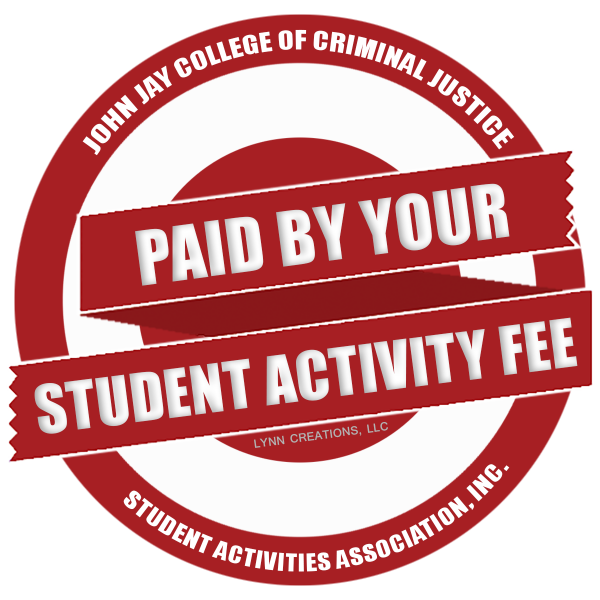
Use only official, current logo files. Logos must remain clear and legible and may not be cropped, stretched, recolored, distorted, recreated, covered, or otherwise altered. Arrange the logos in a balanced manner without changing their proportions.
Contact Laura DeVries, Creative Director, if you need an official John Jay College or CUNY logo file.
Do not create or use an unofficial logo. If the sponsoring department or student organization does not have an approved logo, contact Marketing and Communications for guidance before publishing the graphic.
Information to Include with Event Advertising
Provide the following information on the graphic or in the accompanying caption, post, email, registration page, or event webpage, as applicable:
- Registration or RSVP instructions
- Eligibility or attendance restrictions, such as “John Jay students only”
- Admission cost or a statement that the event is free
- Contact information for questions
- Instructions for requesting an accessibility accommodation
- Virtual or hybrid event access instructions
- Any deadlines, participation requirements, or other information a person needs before attending
Essential information must be available as accessible text. Do not rely on the graphic as the only source of event information.
Social Media Graphics Guidelines
Use the following practices when creating graphics to promote events, programs, scholarships, and other opportunities:
- Lead with a strong visual. Use a clear image or bold graphic that communicates the primary message quickly.
- Limit text within the graphic. Keep wording brief and large enough to read on a mobile device. Place supporting details in the caption or on a linked webpage.
- Provide links outside the graphic. A URL displayed only within an image may not be clickable or accessible. Include the link in the caption when the platform supports clickable links, on the event webpage, or through the account’s profile link.
- Highlight the primary action. Make the most important next step—such as register, apply, attend, or learn more—easy to identify.
- Provide complete details in accessible text. Include all essential information in the caption, post, email, registration page, or linked webpage.
- Make graphics accessible. Use readable fonts, sufficient color contrast, and plain language. Avoid conveying meaning through color alone. Add alternative text or an image description when posting.
- Protect readability. Avoid crowded layouts, low-resolution images, decorative fonts for essential information, and text placed over visually busy backgrounds.
View examples of effective social media graphics:
Additional Marketing Resources
Visit the Marketing and Communications Self-Service Resources page for branding information, flyer templates, Zoom backgrounds, website-editing guidance, and Marketing and Communications contact information.
Contact Us
-
Call
212-393-6449
-
Visit
L.66.03 New Building